Radar, GPS & Speedometer - USA
Bilge Bulut MobileMaps & Navigation
4.0109.00 Reviews
- Version
- 6.6
- Installs
- 1.00M
- Age Rating
- Everyone
Screenshots
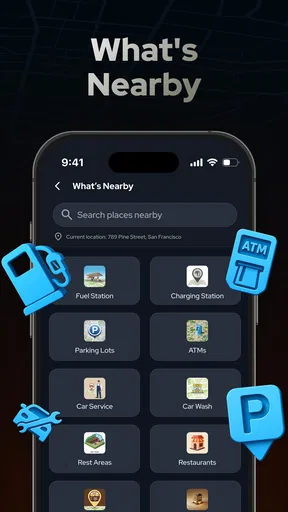
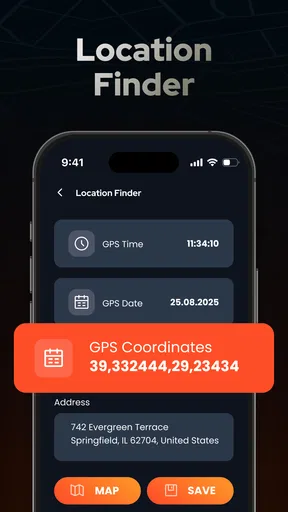
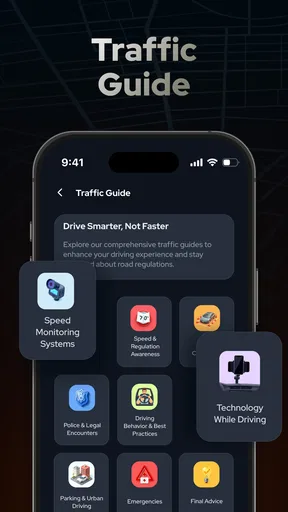
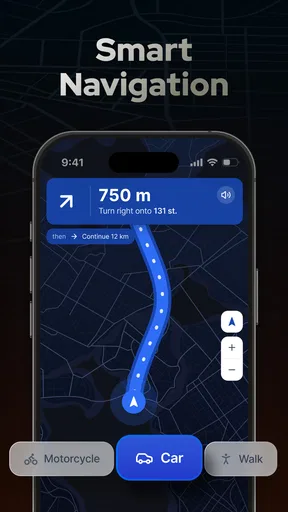
Our Review of Radar, GPS & Speedometer - USA
 Analysis by Appyee
I tend to think about driving apps differently when a phone is shared around a household. A tool that shows speed or gives route-related alerts may be opened by one person before a commute and left for another person to use later, so clarity matters more than a long list of features. Radar, GPS & Speedometer is a navigation app from Bilge Bulut Mobile that brings speed and location information together with radar-related features. I see its strongest fit as a supplementary driving display, not a replacement for attentive driving or a dedicated navigation system.
One phone, several drivers
A realistic use for it is a household car that different adults borrow during the week. One driver might want a clear speed readout on a familiar commute, while another may value radar information on an unfamiliar stretch of road. The appeal is that the app puts those kinds of driving cues in one place, rather than requiring someone to switch between separate speedometer and radar tools.
That shared-device convenience comes with a practical trade-off: a phone’s display and settings are not automatically tailored to whoever takes the keys. Before setting off, each driver should check that the screen is readable, the measurement units make sense, and the app is showing the information they need. I would treat that quick check as part of getting the car ready, not something to fiddle with once moving.
The app is free to install and is rated for Everyone, which makes it broadly accessible as software. That does not mean it is a driving lesson or a substitute for an adult’s judgment. A younger passenger can look at the display, but I would keep operation and decisions about driving alerts with the driver, and avoid handing a phone to anyone who might be distracted by it.
Set a sensible boundary before the trip
For a shared phone, I would decide in advance whether the app is a driver’s tool or simply something available on the device. That distinction helps prevent a passenger from changing settings while the car is moving. If someone needs to adjust the display or inspect a trip record, doing so while parked is the safer and less frustrating choice.
There is also a useful boundary between an alert and a guarantee. Radar-related information can help a driver stay aware, but an alert may be late or unavailable, and it should never be treated as permission to exceed a limit. I would keep the posted road signs and local rules as the authority. That matters especially when the person driving is unfamiliar with the route and tempted to rely too heavily on an app’s warnings.
Coordination without overcomplicating the drive
In a household, small routines can make a shared navigation tool more useful. The person planning a trip can tell the next driver where the phone is mounted and whether it is ready to use, while the driver can check the app before leaving. This avoids a last-minute search for the right screen or a conversation about settings during the journey.
Trip history may be useful for an individual who wants to look back at their own journeys or driving habits, as the app describes that capability. With a shared phone, though, I would be cautious about treating a recorded journey as a complete account of who drove. If several people use the same device, a history entry can be easy to misattribute. That makes it more suitable for personal reference than household record-keeping.
Compared with a standard maps app, this one is more focused on speed display and radar-related awareness than on turn-by-turn route planning. A familiar navigation app is the better choice when the main job is finding a destination, comparing routes, or following directions. A car’s built-in display may be preferable when it is already easy to read and does not require a phone to be positioned in the cabin. I would use this app when its particular driving display adds something useful, rather than running several overlapping tools out of habit.
Getting Started with the App
First off, downloading and setting up Radar, GPS & Speedometer is a breeze. Available on both Android and iOS, the app welcomes you with a clean and intuitive interface. Once you have it installed, you’ll notice how straightforward it is to use. No complicated menus or overwhelming settings—just a simple tap and you’re good to go.
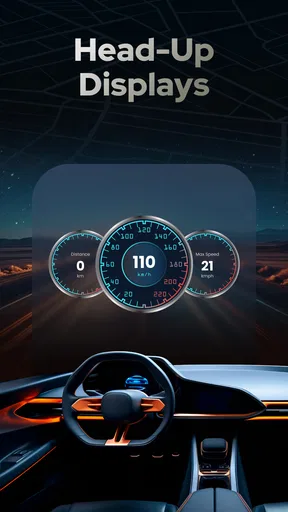
The app’s main screen is where the magic happens. You’ll see your speed prominently displayed, along with your current GPS location. It’s all presented in a way that’s easy on the eyes, which is a big plus when you’re on the road and need to glance at your phone quickly. Safety first, right?
Features That Stand Out
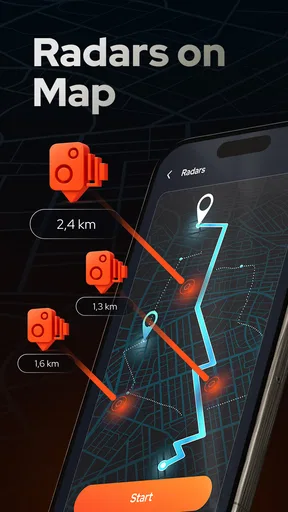
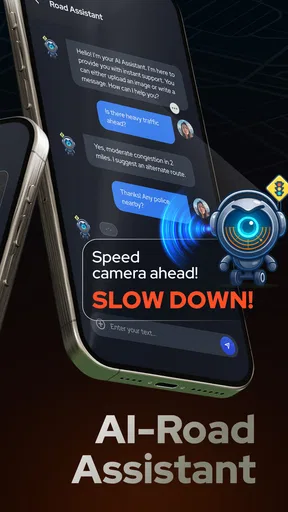
One of the standout features of this app is its real-time radar detection. The app uses crowd-sourced information to alert you about speed traps and cameras. I found this feature particularly useful during long road trips where unfamiliar roads are a given. It’s like having a little guardian angel watching out for you.
Another feature worth mentioning is the customizable speedometer. You can choose between different styles and units of measurement, which is great if you’re particular about how your speed is displayed. The app also logs your driving history, so if you’re curious about your past journeys or want to analyze your driving habits, this app has you covered.
User Experience
Now, let’s talk about the user experience. I loved how the app doesn’t drain my battery as much as I expected. It’s optimized well, so you can have it running in the background without worrying about your phone dying on you halfway through your trip.
In terms of accuracy, it’s pretty spot-on. The GPS and speed readings matched up with my car’s speedometer almost perfectly. It’s always nice to have that extra layer of accuracy when you’re relying on an app for something as crucial as driving.
For the best everyday workflow, I would choose the speedometer style and units while parked, then keep the display consistent from trip to trip. That reduces the temptation to explore options on the road and makes it easier for another household driver to understand what they are seeing. A glanceable screen only helps if its layout is already familiar.
GPS speed can also differ from a vehicle’s dashboard reading because the two systems do not necessarily calculate or display speed in the same way. I would use the app as a helpful reference, not as a reason to ignore the car’s instruments or posted limits. If a reading seems unexpected, the sensible response is to slow down safely and check the situation, rather than trying to troubleshoot while driving.
Room for Improvement
Of course, no app is perfect. One thing I noticed is that the radar alerts can sometimes be a bit delayed. It’s not a deal-breaker, but it’s something to keep in mind. Also, while the app is free, there are some ads that pop up occasionally. They’re not too intrusive, but if you’re someone who can’t stand ads, you might consider the premium version.
For a driver who mainly needs dependable directions, those limits may be enough to make a conventional navigation app the better everyday choice. Crowd-sourced alerts are most useful when other road users contribute timely information, so I would not assume that every camera or hazard will appear. Likewise, anyone who needs a completely distraction-free cabin may prefer the vehicle’s existing display or no extra screen at all.
The app’s current version is 5.1 and it supports Android 6.0 or later. It has a 4.3 average from around 1.9 thousand ratings, with over 1 million installs. Those figures suggest that plenty of people have tried it, but I would still judge it by whether its screen and alert style suit your own driving routine.
Who it suits, and when I’d choose something else
I can see this being useful for drivers who want a visible GPS speed readout, like having radar-related information nearby, and are comfortable treating those alerts as supporting context. It may be especially convenient for occasional road trips: set it up before leaving, keep the phone secure and visible without blocking the road, and use the display as a quick reference while following the actual signs and safe driving practices.
I would skip it if your priority is full-featured route guidance, if a phone screen would tempt you to interact while driving, or if you expect radar alerts to be complete and instantaneous. It is also not an ideal household logbook when several people share one device, because a trip record alone does not establish who was behind the wheel. In those situations, a built-in car display or a dedicated navigation app may fit better.
Wrapping It Up
All in all, Radar, GPS & Speedometer is a solid choice for anyone looking to enhance their driving experience. It combines practicality with ease of use, making it a must-have for both casual drivers and road warriors alike. Whether you’re looking to avoid speed traps or just want a reliable speedometer app, this one’s worth checking out.
It is free to download, with in-app purchases ranging from $2.99 to $29.99 per item. I would try the basic experience first and decide whether the app’s actual display and alert behavior suit your routine before spending anything. That is a better approach than assuming a paid option will solve the limitations of crowd-sourced warnings or make the app a substitute for navigation.
For a household, my verdict is that it can be a handy shared companion if each driver knows what it does, checks the setup before moving, and keeps attention on the road. It is less compelling when everyone expects a different route-planning tool or wants a record tied clearly to an individual. Used with those boundaries, it offers a practical mix of speed and location information without needing to become the center of the drive.
So, if you’re ready to take the plunge, head over to your app store and give it a go. Safe travels!
Verdict
Strengths of Radar, GPS & Speedometer - USA
- Accurate real-time speed tracking.
- Easy-to-read interface design.
- Customizable alerts for speed limits.
- Integrates well with other GPS apps.
- Minimal battery consumption.
Limitations of Radar, GPS & Speedometer - USA
- Occasional GPS signal drops.
- Ads can be intrusive at times.
- Limited offline functionality.
- No night mode for display.
- Requires frequent updates for accuracy.
Other Releases by Bilge Bulut Mobile
View All
Cartoon Photo Editor-Toon Art
Art & Design4.0

Decorise AI, Design Your Space
House & Home4.2
Similar Picks in This Category
View All
Uber - Request a ride
Uber Technologies, Inc.4.7


inDrive. Rides with fair fares
® SUOL INNOVATIONS LTD4.8

Yandex Go: Taxi Food Delivery
Mikromobilnost LLC Belgrade4.8

Bolt: Request a Ride
Bolt Technology4.8

Rapido: Bike-Taxi, Auto & Cabs
Rapido Bike Taxi4.8
Frequently Asked Questions
What features does the Radar, GPS & Speedometer app offer?
The Radar, GPS & Speedometer app provides real-time tracking of your speed, location, and direction. It also alerts you to nearby speed cameras and traffic updates. The app includes a built-in map and customizable speed limits, making it a comprehensive tool for drivers who want to stay informed and safe on the road.
Is the Radar, GPS & Speedometer app compatible with all devices?
The app is compatible with most Android and iOS devices that have GPS functionality. It requires an up-to-date operating system to ensure optimal performance. Users should verify that their device meets the app's requirements by checking the app store listing before downloading.
Does the app consume a lot of battery power?
Like many GPS-based applications, the Radar, GPS & Speedometer app can be resource-intensive, which may affect battery life. To mitigate this, the app offers battery-saving modes and adjustable update intervals. Users can also reduce battery drain by closing other background apps while using it.
How accurate is the speed and location tracking in the app?
The Radar, GPS & Speedometer app is designed to provide highly accurate speed and location data using advanced GPS technology. However, its accuracy can be influenced by factors such as signal strength, weather conditions, and device quality. Regular updates help improve precision over time.
Is there a subscription or one-time purchase required for full access?
The app offers both a free version with basic features and a premium version that unlocks additional functionalities, such as ad removal and advanced alerts. The premium version is available as a one-time purchase or a subscription, allowing users to choose the payment option that best suits their needs.
